DLL Hijacking Explained to a 10yr Old
How the Windows loader actually resolves a DLL: LdrLoadDll, the KnownDLLs check, and the search order, and exactly where in that sequence a hijack becomes possible.
To really understand DLL hijacking, you need to understand how Windows actually loads a DLL internally. The key component is the Windows loader, mainly the function: LdrLoadDll inside ntdll.dll. Almost every DLL load eventually goes through this function. I’ll explain the real loading process step-by-step, because this explains why hijacking works and where the weaknesses are.
What Happens When a Program Loads a DLL
When a program calls something like: LoadLibrary(“helper.dll”) the following happens internally: LoadLibrary -> LoadLibraryEx -> LdrLoadDll The real loader logic lives in LdrLoadDll. This function:
- resolves the DLL name
- searches for the file
- maps it into memory
- resolves dependencies
- runs initialization code
First Step: KnownDLL Check
Before searching the filesystem, Windows checks KnownDLLs. Registry location: HKLM\SYSTEM\CurrentControlSet\Control\Session Manager\KnownDLLs Example entries: kernel32.dll, user32.dll, advapi32.dll These DLLs are protected. If the loader sees: LoadLibrary(“kernel32.dll”) it loads the copy already mapped in memory instead of searching disk. This prevents hijacking system-critical DLLs.
API Set Resolution
Modern Windows uses API Set DLLs. Example: api-ms-win-core-file-l1-1-0.dll These are virtual DLL names. The loader maps them internally to real DLLs like: kernelbase.dll This mapping happens before filesystem search. Tools that don’t understand API sets can misinterpret dependencies.
Manifest & Side-by-Side (WinSxS)
Next, the loader checks the application manifest.
Example:
app.exe.manifest
This may specify:
Microsoft.VC90.CRT
Windows then loads DLLs from:
C:\Windows\WinSxS
instead of normal search paths.
This is called Side-by-Side assemblies.
The DLL Search Order
If the DLL was not resolved earlier, Windows begins the search order. Modern Windows default search order: App Dir -> System32 -> System -> Windows -> CWD -> PATH Example: C:\Program Files\App\app.exe If helper.dll exists in the same folder, it will load from there. This is the most common DLL sideloading technique.
Safe DLL Search Mode
Windows introduced SafeDllSearchMode to reduce hijacking. Registry: HKLM\System\CurrentControlSet\Control\Session Manager\SafeDllSearchMode If enabled (default), the search order becomes: App Dir -> System32 -> System -> Windows -> CWD -> PATH Without SafeDllSearchMode, the working directory was earlier in the order.
Special Loading Flags
Programs can modify search behavior with LoadLibraryEx flags.
Examples:
LOAD_LIBRARY_SEARCH_SYSTEM32
Only loads from:
C:\Windows\System32
This prevents hijacking.
LOAD_LIBRARY_SEARCH_APPLICATION_DIR Restricts search to the app folder.
LOAD_WITH_ALTERED_SEARCH_PATH Changes the base directory used during dependency resolution.
Mapping the DLL into Memory
Once the file is found, the loader:
- opens the file
- maps it into memory
- parses the PE headers
- loads dependent DLLs Example dependency chain: app.exe -> helper.dll -> core.dll -> ntdll.dll Each dependency goes through the same search process. This is where many hijacks occur.
Running Initialization Code
Once the DLL loads, Windows calls: DllMain with: DLL_PROCESS_ATTACH Example: BOOL APIENTRY DllMain(HMODULE hModule, DWORD ul_reason_for_call, LPVOID lpReserved) Malware often executes its payload here.
Why DLL Hijacking Works
The weakness exists because programs often do: LoadLibrary(“helper.dll”) instead of: LoadLibrary(“C:\SecureApp\helper.dll”) The loader then searches multiple directories. If an attacker can write to one of them, they can place: malicious helper.dll and gain code execution.
Example Real-World Attack
Example vulnerable structure: C:\ProgramData\VulnApp\ (Writable by Users) App loads: missing.dll If attacker places: C:\ProgramData\VulnApp\missing.dll Windows loads the malicious DLL. This is DLL sideloading.
Why Tools Like DLLHijackHunter Exist
Manual detection of these issues is extremely hard. Tools attempt to: Scan directories -> Check ACLs -> Simulate load -> Verify execution The verification step is the most reliable way to confirm exploitation.
The Most Interesting Part of the Windows Loader
The core logic actually lives in these functions: LdrpResolveDllName, LdrpLoadDll inside ntdll.dll. Advanced malware sometimes hooks these functions to: hide loaded DLLs or redirect execution.
Key takeaway DLL hijacking works because Windows: prioritizes flexibility over strict pathing. Understanding the loader helps security researchers detect privilege escalation and persistence techniques.
Automating the Hunt with DLLHijackHunter
Finding these search order flaws manually by digging through thousands of Process Monitor NAME NOT FOUND events is exhausting. Furthermore, static analysis tools often fail to account for the OS mitigations mentioned above (like API sets, Manifests, and LoadLibraryEx flags), resulting in hundreds of false positives.
DLLHijackHunter exists to solve this exact problem.
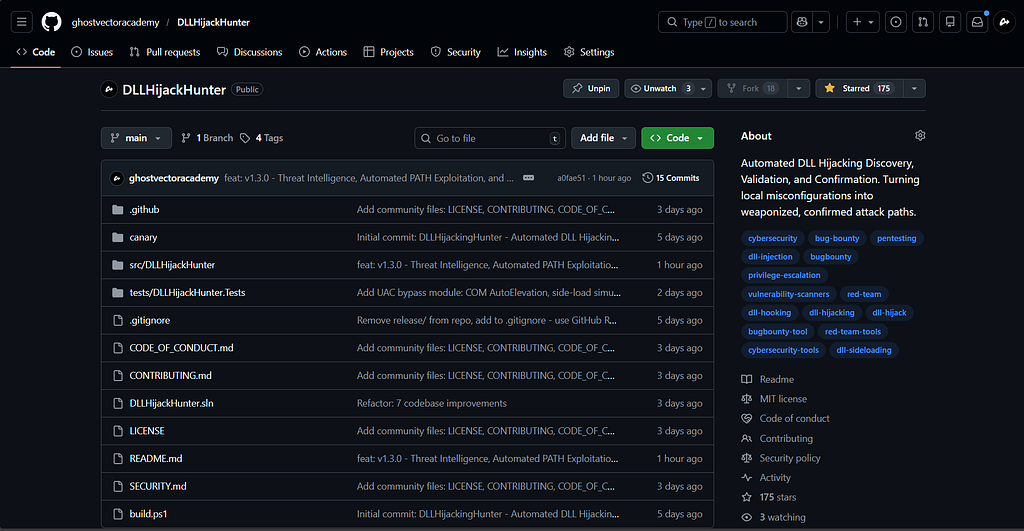
DLLHijackHunter is an automated detection framework that does the heavy lifting for you:
- Intelligent Discovery: It uses ETW runtime tracing and static PE analysis to find applications that load DLLs from user-writable paths.
- The “Canary” Engine (Zero False Positives): Instead of just guessing, it automatically compiles a harmless proxy DLL, drops it into the vulnerable path, triggers the application, and verifies if it achieved SYSTEM or High Integrity execution. If it says [CONFIRMED], you have a guaranteed exploit.
- Advanced Hunting: It natively detects .local bypasses, Phantom DLLs, and even hunts for silent UAC Bypasses via COM AutoElevation.
If you want to stop chasing false positives and start finding real persistence and privilege escalation vectors, grab the open-source release here:
📥 Download DLLHijackHunter on GitHub
Thank you!
Written byGhostVirus